The Jumbo Container Crane Application simulates the dynamic behavior of a container suspended by cables on a Container crane. The real-time 3D animation and user-interaction provide insight in the response of the container movement to crane master inputs for the Trolley control.
Note that the 3D motion dynamics are implemented using Euler angle transformations, which have singularities at 90 deg angles, which make the simulation unstable if the container angles are too big. This would be resolved by converting to Quaternion angle transformations.
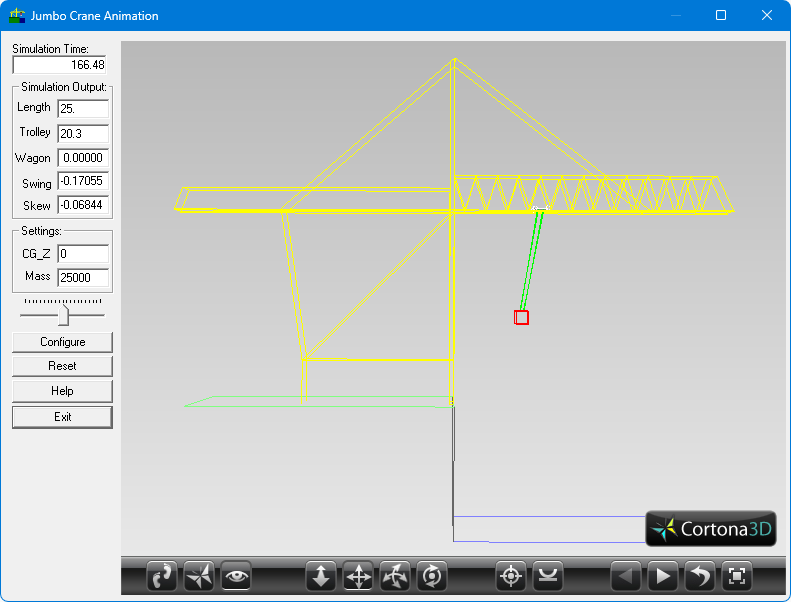
The JCC GUI
The JCC Simulation GUI shows the real-time status of the container crane operation, with the operating time, cable hoisting length, trolley position on the boom.
Use a USB joystick to operate the trolley movement. Forward and backwards is the trolly position; left and right is hoisting up and down. Use the buttons to operate the automatic swing and skew control.
The swing and skey values represent the movement of the cable pulley mechanics at the trolley.
Left is an animation of the container crane simulation in 3D.
Use the mouse to move the viewpoint in the scene. Right-click to select different viewpoints, or to reconfigure the 3D viewer.
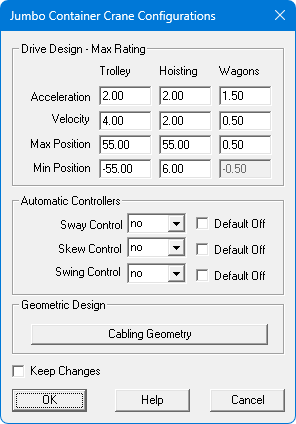
The Configuration Interface of the JCC simulation is shown to the right. Here you can set limitations for the simulation model, and set the function of the joystick buttons for automatic control.
If “Default off” is unchecked, it means that the specific control function is active unless the assigned joystick button is pressed.
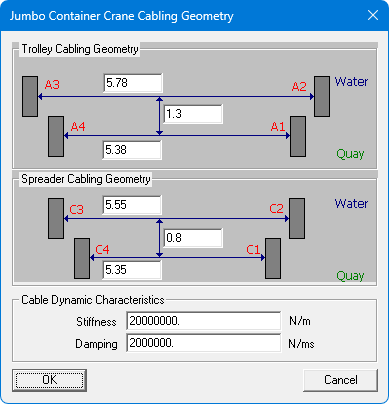
The Trolley dimensions and pulley mechanics can be configured in the Cabling Geometry window as shown to the left. This window is accessed from the Configuration Interface.
The stiffness and damping coefficients represent the dynamic properties of the hoisting cables. Note that higher values may make the simulation unstable
References:
- JCC paper